To Align Images Up and Down Select each one and pick “No Alignment” Then you can move your cursor between each one and hit the return or enter key You can also change their alignment. I recommend testing to see how much of what you need can be done this way. Also we will be making a TABLE TUTORIAL, which is more difficult to use but can do more in terms of placement ...
On the page https://www.accentcom.com/stmary/more-donors/ You will see on the more donors page that the images are different sizes. These are featured images which display. And the text is of different lengths. These are excerpts which are below the main story text editor for each story (when you go to edit post). If you make the excerpt too long it will break out of the box, so be careful and check your work. It will be good to pick a category for each photo in the media library as you add featured images, so later they can be viewed by category. I recommend you go in and edit as...
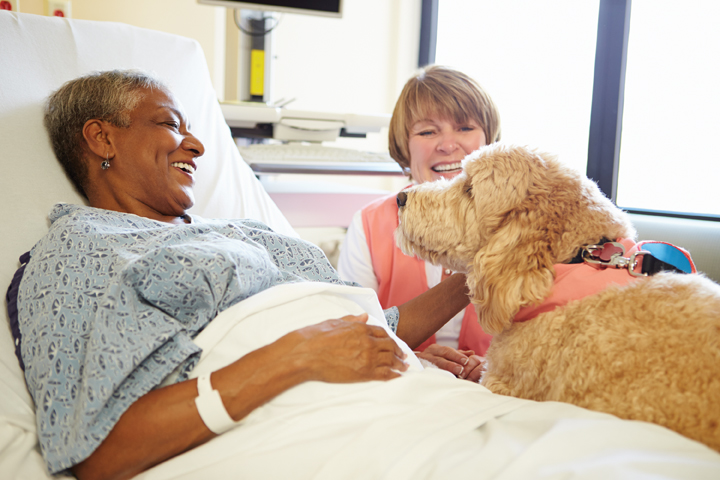 Enhancements to services abound at St. Mary! The St. Mary Foundation’s Ambassador Circle met on Friday, April 26th for lunch and their quarterly meeting at the Northampton Valley Country Club. After welcoming remarks and opening prayer, Dan Drake, Vice President of Continuing Care, gave a brief presentation on LIFE St. Mary and plans for serving the aging population in Bucks County through this year and into the future. Dan reported that this group presents both a challenge and an opportunity for St. Mary. Pennsylvania ranks third in the nation for population over 65 years of age. Just over 16% of Bucks County residents are over age 65 and we possess the highest percentage of residents over 85 in the whole state. In 2009, St. Mary opened a Program for All-Inclusive Care for Elders (PACE) called Living Independently for Elders (LIFE) St. Mary, to serve this growing population. While in the LIFE St. Mary program, participants receive personalized healthcare services based on their specific needs. Enrollment in the LIFE program allows individuals to remain living in their own homes instead of a nursing home facility. Last year, the LIFE program, which is located in Trevose, had 220 Medicaid/Medicare eligible participants aged 55 or older. All participants resided in one of 16 approved Lower Bucks County ZIP code areas. This year, LIFE St. Mary has experienced a small growth spurt and is now serving 235 participants from 30 approved ZIP code areas. Should any LIFE St. Mary participant or other elderly Bucks County resident require a hospital stay, St. Mary is equipped with the only geriatric-friendly unit in the area. Nurses on...
Go to the dashboard Pick add Add New under posts type in your news item, add images etc (you can change the titles as necessary or delete items if necessary from the Publish menu, to the left of Update Button) Make sure you select the news category and they will come up in most recent item 1st You can change the dates to change the order You can uncheck the category News and check category News Archive to archive You can click on the title of any news item and click edit post in the top menu to edit Note: as needed, we can set up any section with an archive...
Old thumbnails at the bottom, where you can view and copy old profile stories Login in to login screen. Link here User name and password to be sent via email Note: clicking upper left logo brings you back to the main page (descriptions with Images below this section) You will be redirected to this page after you log in. Go to old Profile Page on StMaryFoundation.net (good to open a new tab) Select image, right click and save image to your computer, good idea to make a folder for the images Then select text and copy text Once you are logged in you can get to the new posts by clicking on the profile thumb scroller on the main page, click the desired image to add or edit and once on the post has loaded, click the edit button at the top to edit Paste text into new post Go to add media button on new page and upload file and click lower right hand corner “Insert Into Post” Click Photo and click align to left button, then click the pencil to edit/add caption, click update when finished. Select the caption, go to “formats” and pick the “profilecaption-text” style of the caption Update and view post NOTE: You could with addition of a code add the thumb-slider to the top of each page, below the title [print_responsive_thumbnail_slider id="5"] Descriptions with Images Login: 1. You will be redirected to the Profiles Page Thumb Banner and tutorial, after you log in. (or use the list to the right) 2. Go to old Profile Page on StMaryFoundation.net (good to open a new tab) 3....
Enhancements to services abound at St. Mary! The St. Mary Foundation’s Ambassador Circle met on Friday, April 26th for lunch and their quarterly meeting at the Northampton Valley Country Club. After welcoming remarks and opening prayer, Dan Drake, Vice President of Continuing Care, gave a brief presentation on LIFE St. Mary and plans for serving the aging population in Bucks County through this year and into the future. Dan reported that this group presents both a challenge and an opportunity for St. Mary. Pennsylvania ranks third in the nation for population over 65 years of age. Just over 16% of Bucks County residents are over age 65 and we possess the highest percentage of residents over 85 in the whole state. In 2009, St. Mary opened a Program for All-Inclusive Care for Elders (PACE) called Living Independently for Elders (LIFE) St. Mary, to serve this growing population. While in the LIFE St. Mary program, participants receive personalized healthcare services based on their specific needs. Enrollment in the LIFE program allows individuals to remain living in their own homes instead of a nursing home facility. Last year, the LIFE program, which is located in Trevose, had 220 Medicaid/Medicare eligible participants aged 55 or older. All participants resided in one of 16 approved Lower Bucks County ZIP code areas. This year, LIFE St. Mary has experienced a small growth spurt and is now serving 235 participants from 30 approved ZIP code areas. Should any LIFE St. Mary participant or other elderly Bucks County resident require a hospital stay, St. Mary is equipped with the only geriatric-friendly unit in the area. Nurses on...
Go to the dashboard Pick add Add New under posts type in your news item, add images etc (you can change the titles as necessary or delete items if necessary from the Publish menu, to the left of Update Button) Make sure you select the news category and they will come up in most recent item 1st You can change the dates to change the order You can uncheck the category News and check category News Archive to archive You can click on the title of any news item and click edit post in the top menu to edit Note: as needed, we can set up any section with an archive...
Old thumbnails at the bottom, where you can view and copy old profile stories Login in to login screen. Link here User name and password to be sent via email Note: clicking upper left logo brings you back to the main page (descriptions with Images below this section) You will be redirected to this page after you log in. Go to old Profile Page on StMaryFoundation.net (good to open a new tab) Select image, right click and save image to your computer, good idea to make a folder for the images Then select text and copy text Once you are logged in you can get to the new posts by clicking on the profile thumb scroller on the main page, click the desired image to add or edit and once on the post has loaded, click the edit button at the top to edit Paste text into new post Go to add media button on new page and upload file and click lower right hand corner “Insert Into Post” Click Photo and click align to left button, then click the pencil to edit/add caption, click update when finished. Select the caption, go to “formats” and pick the “profilecaption-text” style of the caption Update and view post NOTE: You could with addition of a code add the thumb-slider to the top of each page, below the title [print_responsive_thumbnail_slider id="5"] Descriptions with Images Login: 1. You will be redirected to the Profiles Page Thumb Banner and tutorial, after you log in. (or use the list to the right) 2. Go to old Profile Page on StMaryFoundation.net (good to open a new tab) 3....